Guest ordering page
Your guests
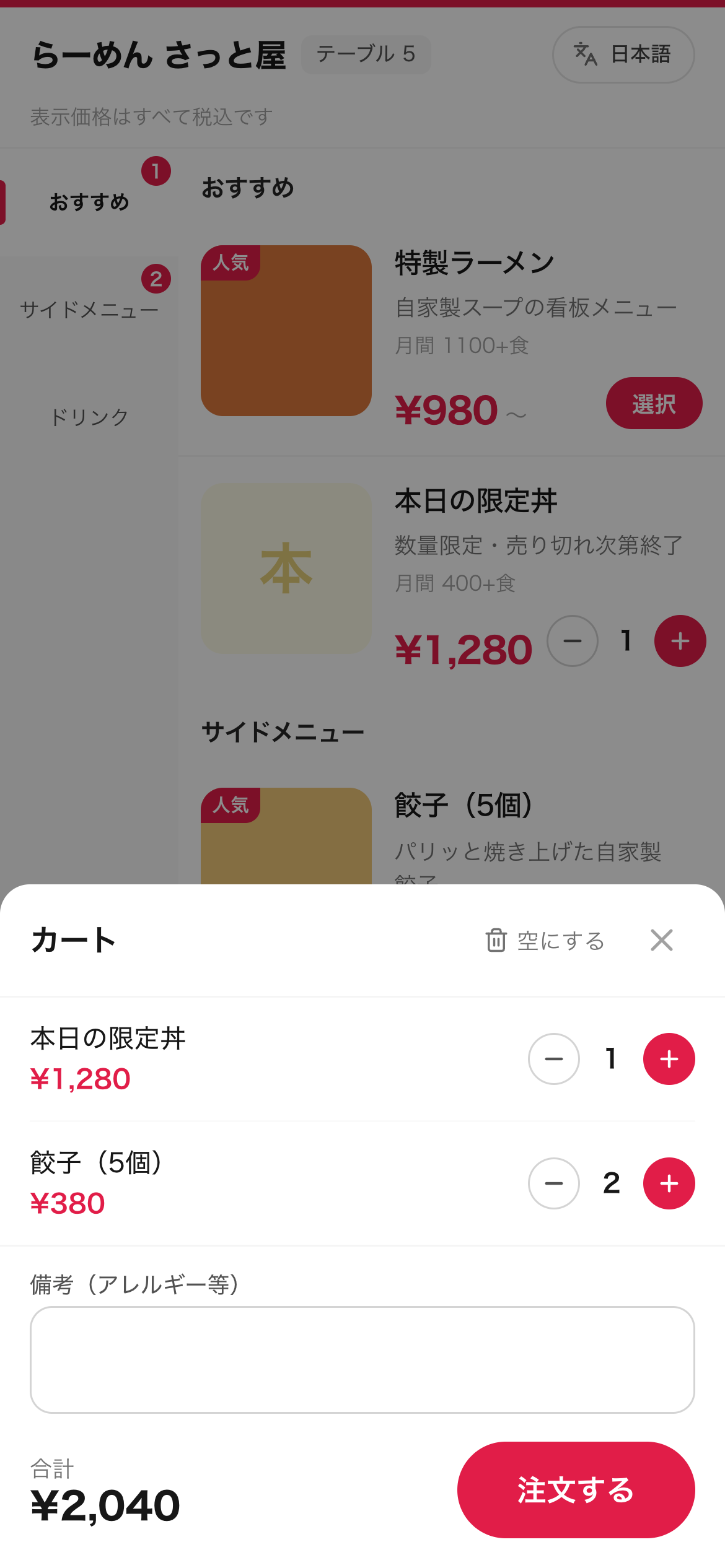
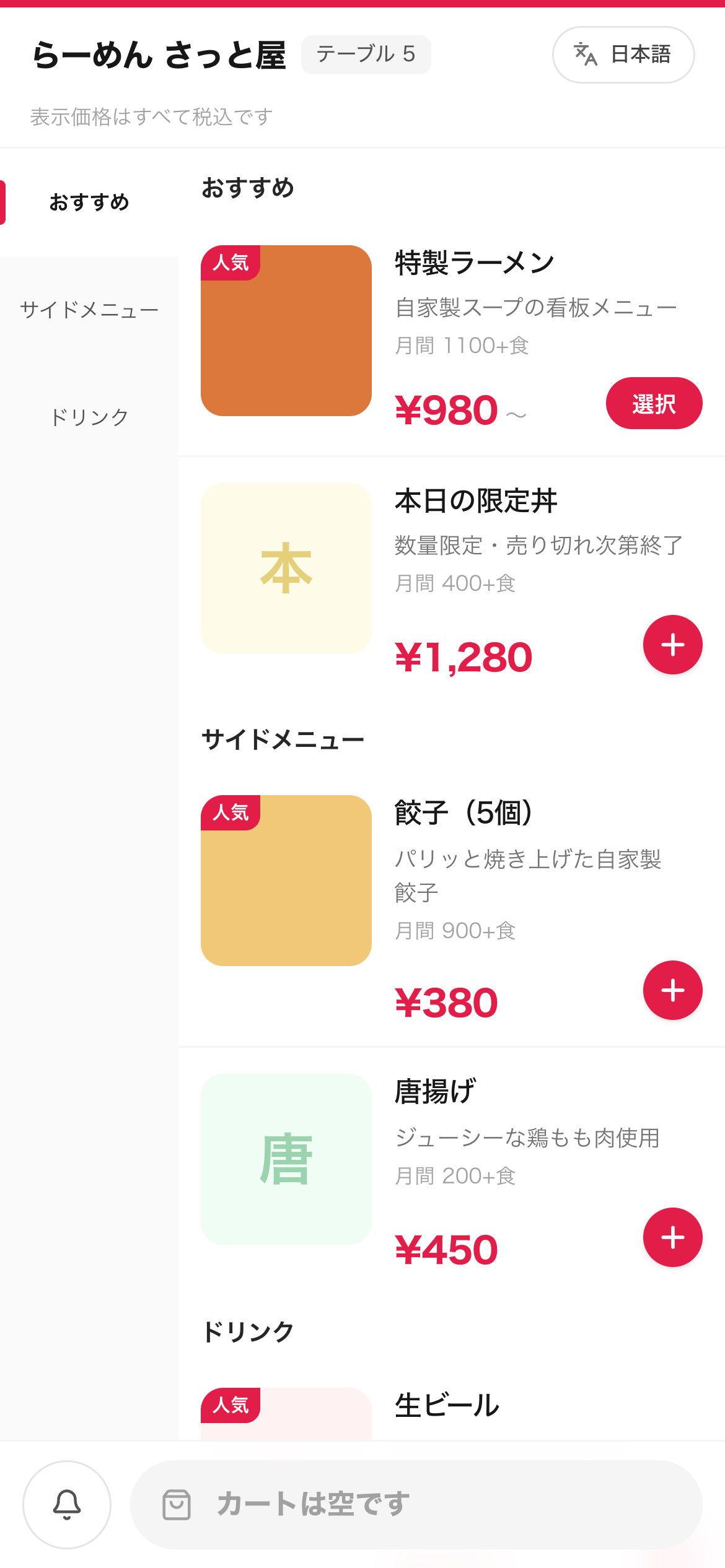
Scan the QR on the table, and that is it. No app to install, no account to create. They pick from a menu with photos and order straight away. Japanese, English and Chinese.
QR MOBILE ORDER
Guests scan the QR on the table. Their own phone becomes the terminal, and the order reaches the kitchen directly.
When the floor fills up, nobody can take orders. Guests wave and go unnoticed. The busiest nights are the ones losing the most.
Tablets and handhelds for the whole floor run into thousands. That is a big decision for something you only wanted to try.
What sold, when, and how much. Prep quantities and pricing end up being a matter of instinct.
From the moment a guest orders to the moment the bill is settled, everyone is looking at the same order in the same state. Nothing gets relayed wrong or cooked twice.
Your guests
Scan the QR on the table, and that is it. No app to install, no account to create. They pick from a menu with photos and order straight away. Japanese, English and Chinese.
Kitchen staff
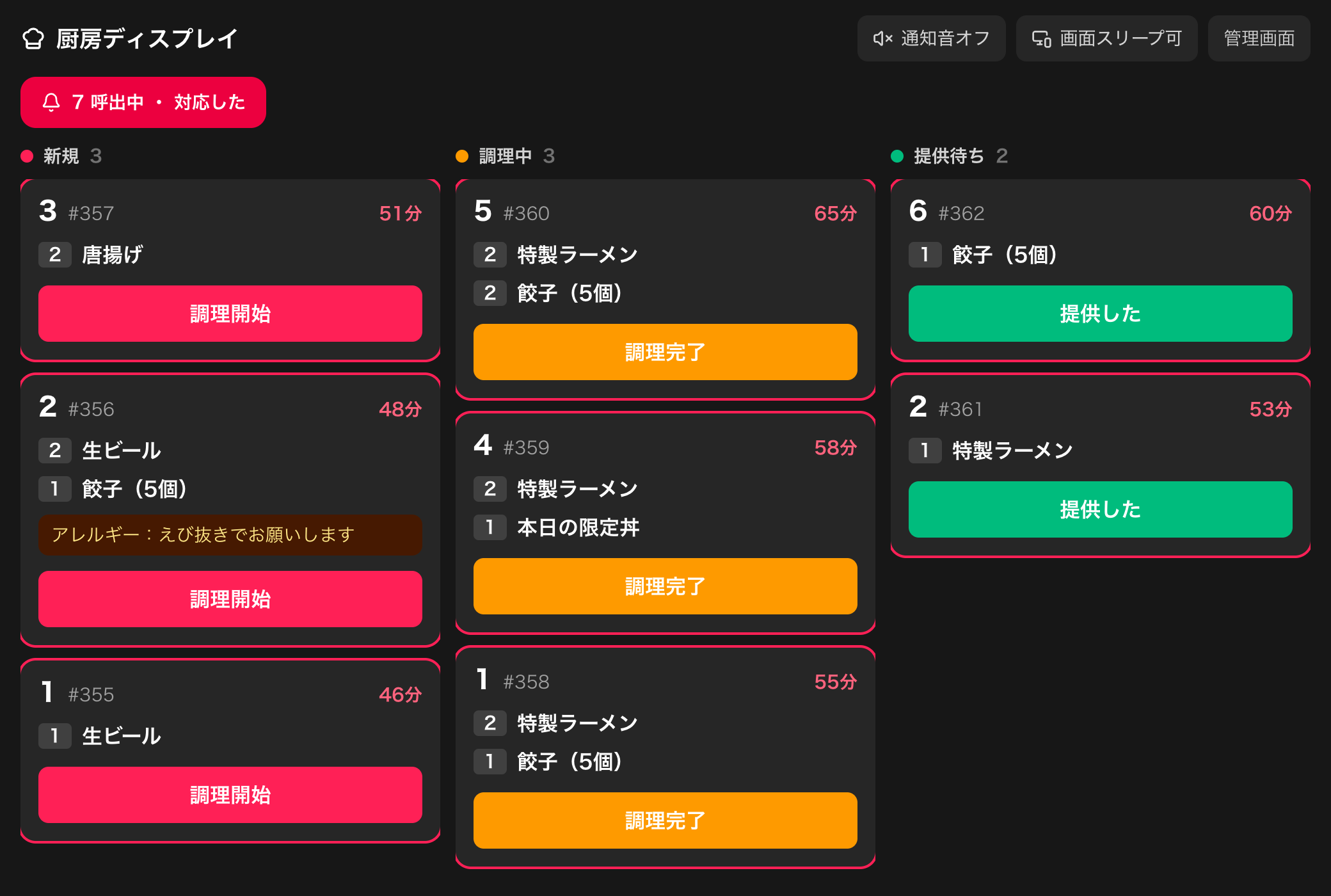
New, cooking and ready in three columns. Tickets turn amber at ten minutes and red at twenty, so a table falling behind is obvious. Allergy notes show on the card.
Owner and manager
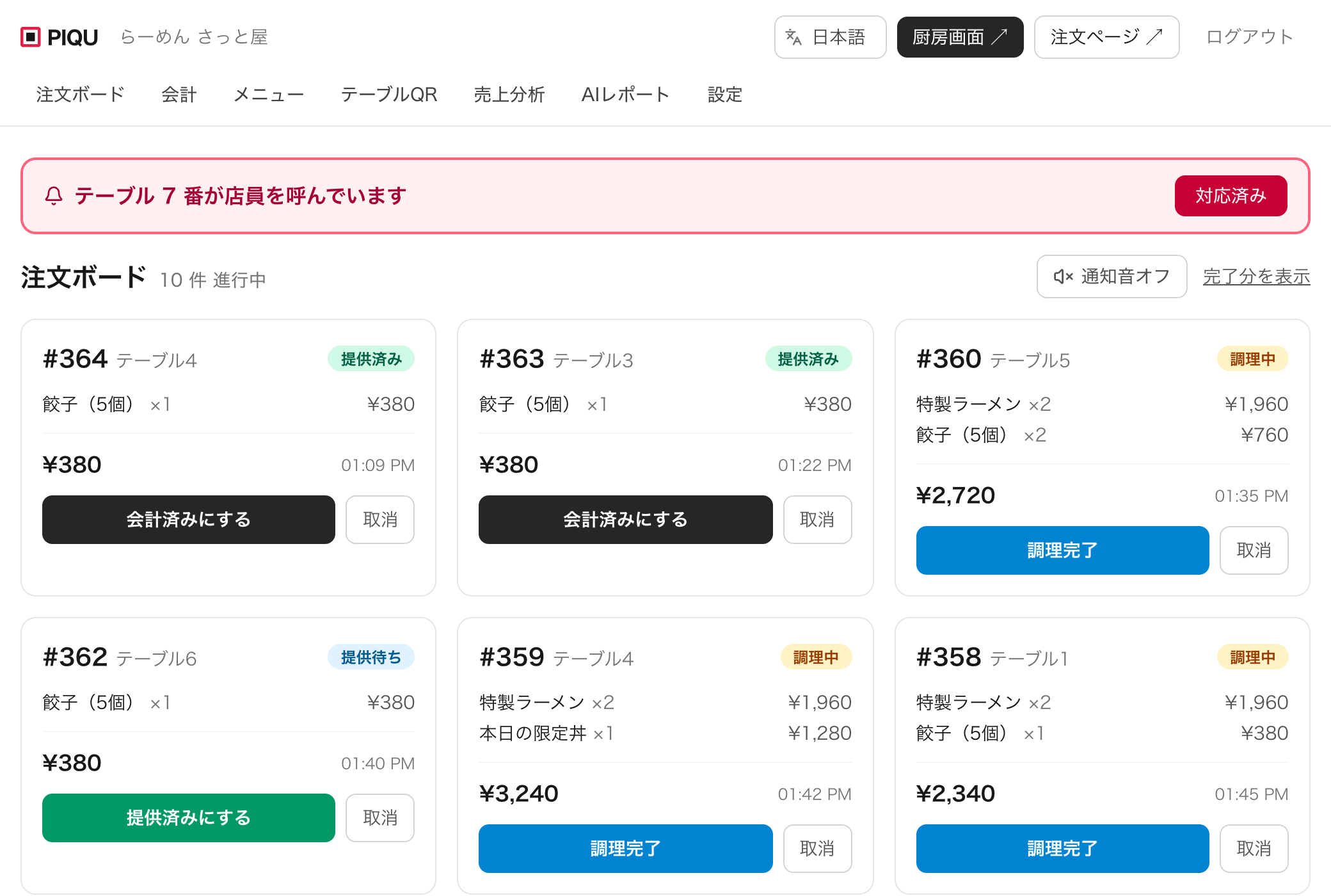
Follow-up orders from the same table merge into one bill automatically. When a table cannot be settled you can still close it with a reason, so revenue matches reality.
Owner
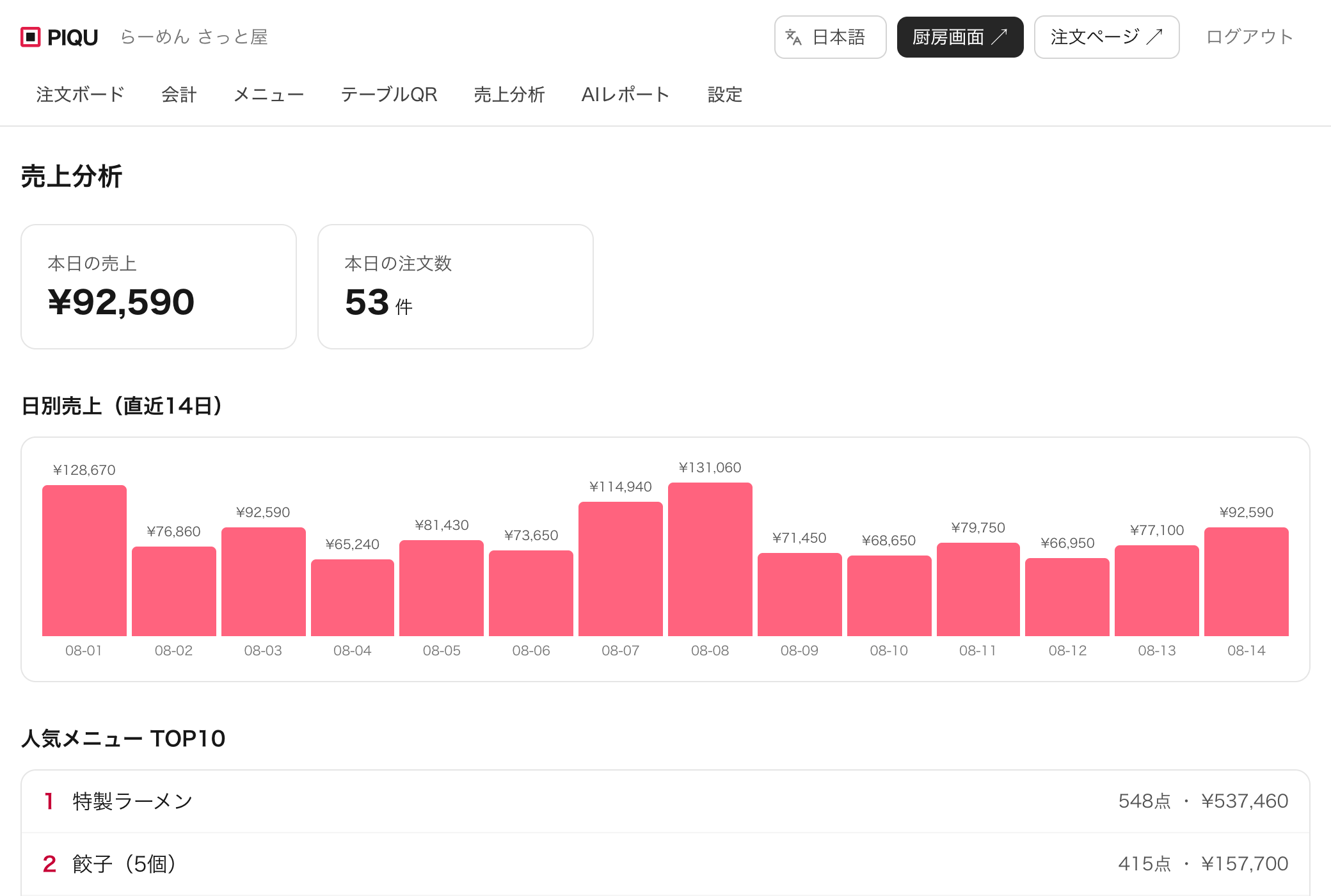
Daily revenue, best sellers and your busiest hours build up on their own. Once a week an AI reads them and points out prep quantities and items that keep running out.
No installation visit, no waiting on hardware. The moment you register, your store exists with a sample menu and table QR codes already in it.
An email address is enough. Your store page exists immediately.
Photos, prices and stock counts. That is the whole job.
Print the permanent QR for each table and stick it down.
Orders reach the kitchen and bills accumulate on their own.
Scan this with your phone and the exact screen your guests see will open. Place a test order and it lands on the kitchen display within seconds. You can check both right now.
The demo store resets every day. Order as much as you like.

Your guests' phones are the terminals, so there are no tablets or handhelds to purchase. The number on this page is the whole price.
No. Scanning the QR opens the ordering page in their browser, and there is no sign-up. The moment you ask someone to install an app, most of them give up.
No. Guests order on their own phones. For the kitchen side, a tablet or computer you already own works, and so does a spare phone.
Guests are on their mobile connection, so in-store Wi-Fi is not required. Only the device running the kitchen display needs to be online.
Registering takes a few minutes. Your store is created with a sample menu and table QR codes already in place, so swap in your menu, print the codes, and you can use it for tonight's service.
Enter Japanese and the AI writes the English and Chinese for you. It keeps the identity of the dish, writing Karaage (Japanese fried chicken) rather than plain fried chicken. You can edit anything afterwards.
Cancel any time. There is no setup fee and no cancellation fee, so nothing is lost if it turns out not to suit you.
Registration takes a few minutes. No credit card, no installation visit.
Create your store free